Skip to content

Features

Five things it does that a web page on a phone has no business doing.

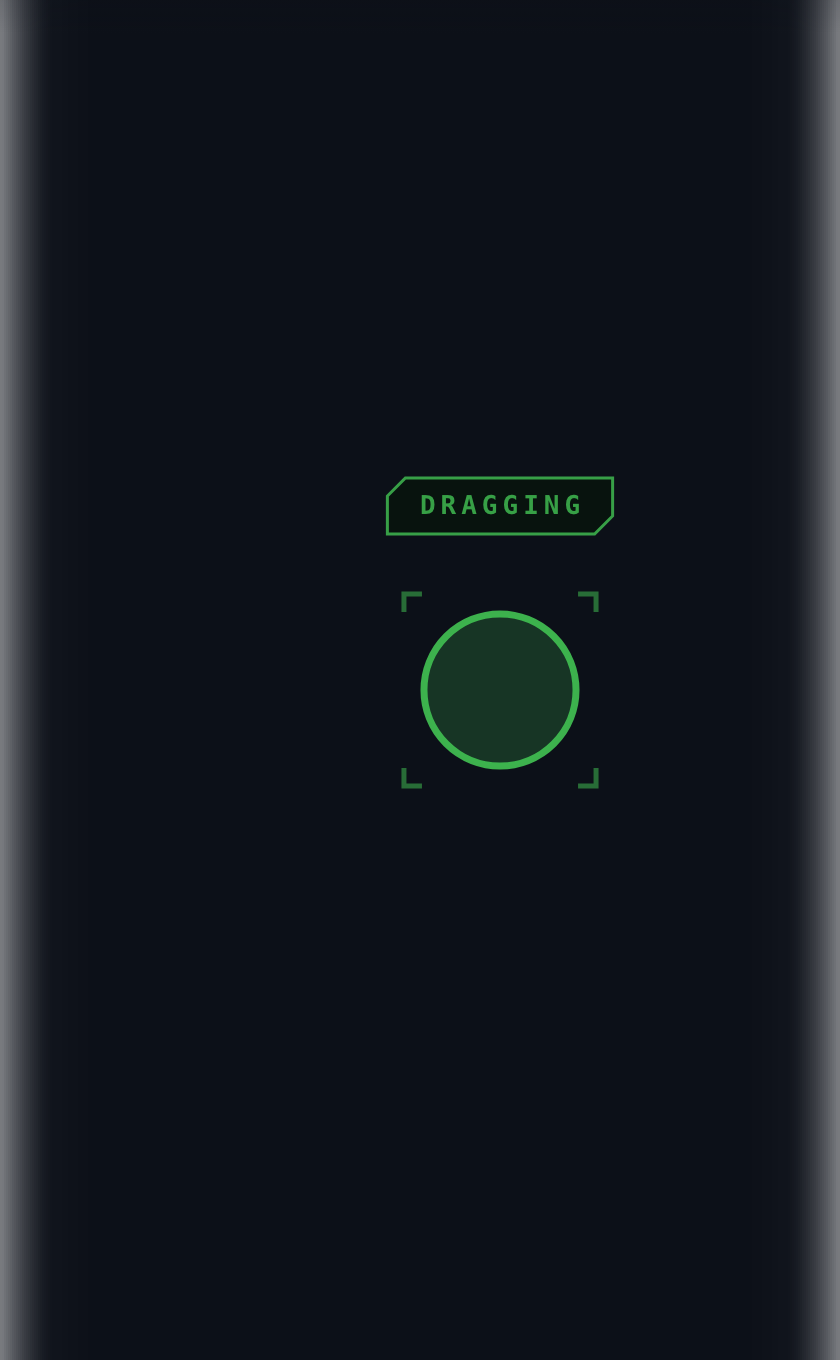
A drag in progress: a green ring and corner brackets around the fingertip, DRAGGING above it, the screen edges glowing.

Press and hold

Dragging without a button

Rest one finger; a ring charges around it; when it fills the button is held. Slide to select, lift to release.

The signal is drawn where your hand isn't — the screen edges bloom white — because your eyes are on the other screen.
Gestures

Shown, then named

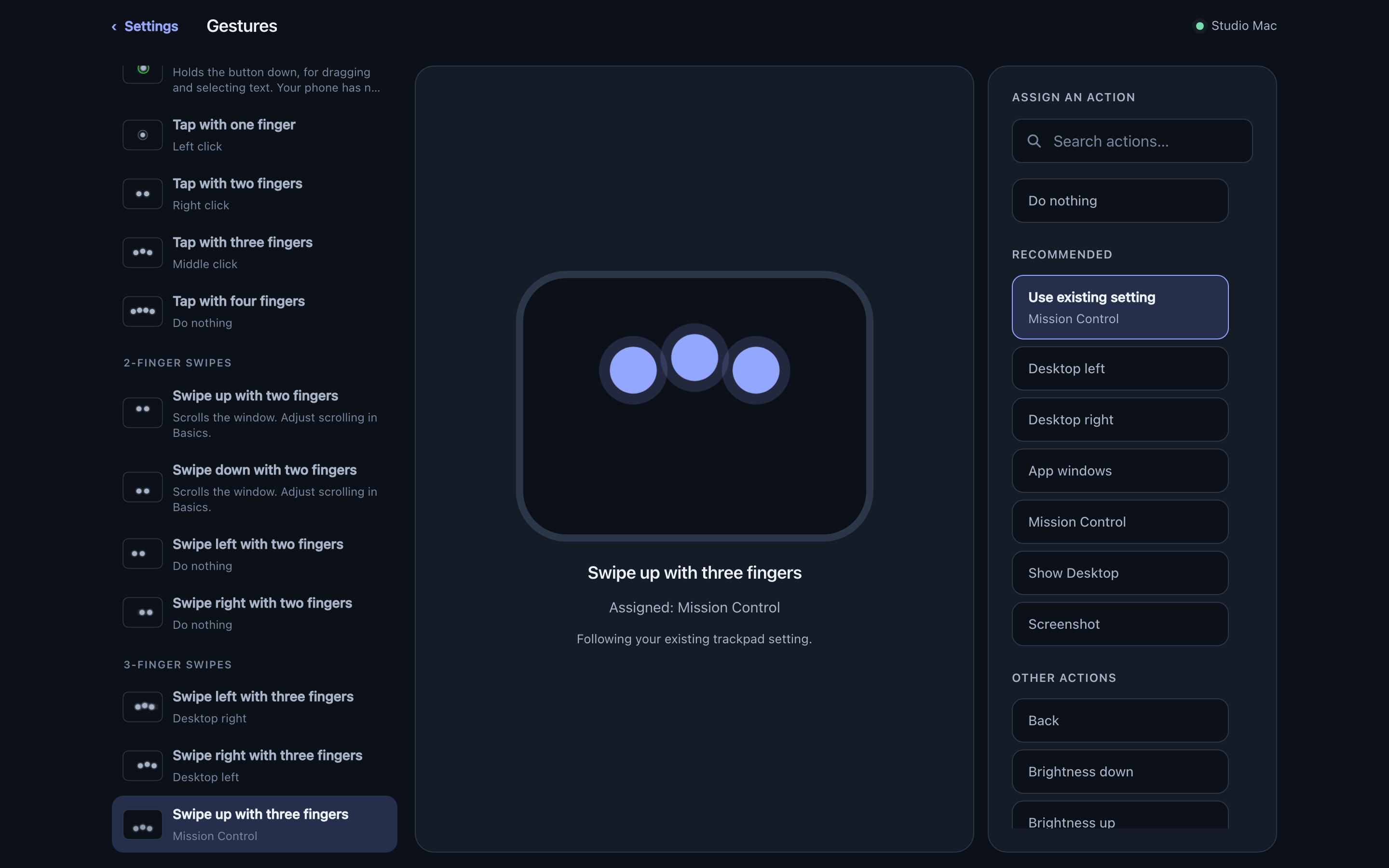
Every gesture is drawn with a fingertip for each finger it takes. Each swipe direction is its own setting, and every action it can be given is listed.

The gestures page: a list on the left, a swipe demonstrated with three animated fingertips in the middle, the actions it can take on the right.

Settings

On whichever screen is nearer

The same live page from the menu bar or from the pad in your hand.

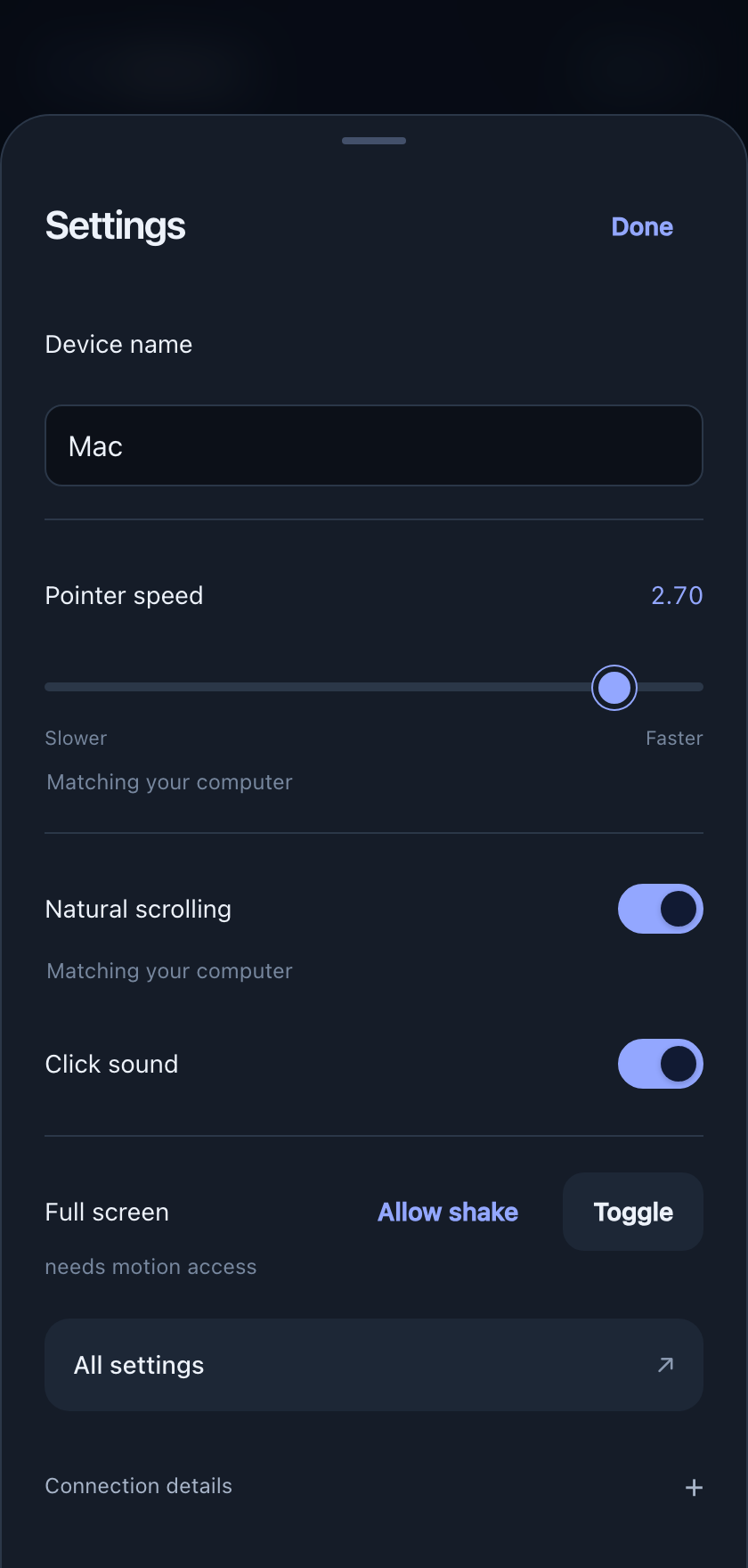
The phone's sheet is an override, not a copy: change one control and it becomes yours, on that device only, until you hand it back.

The phone's settings sheet, with 'Matching your computer' under the controls the Mac decides.
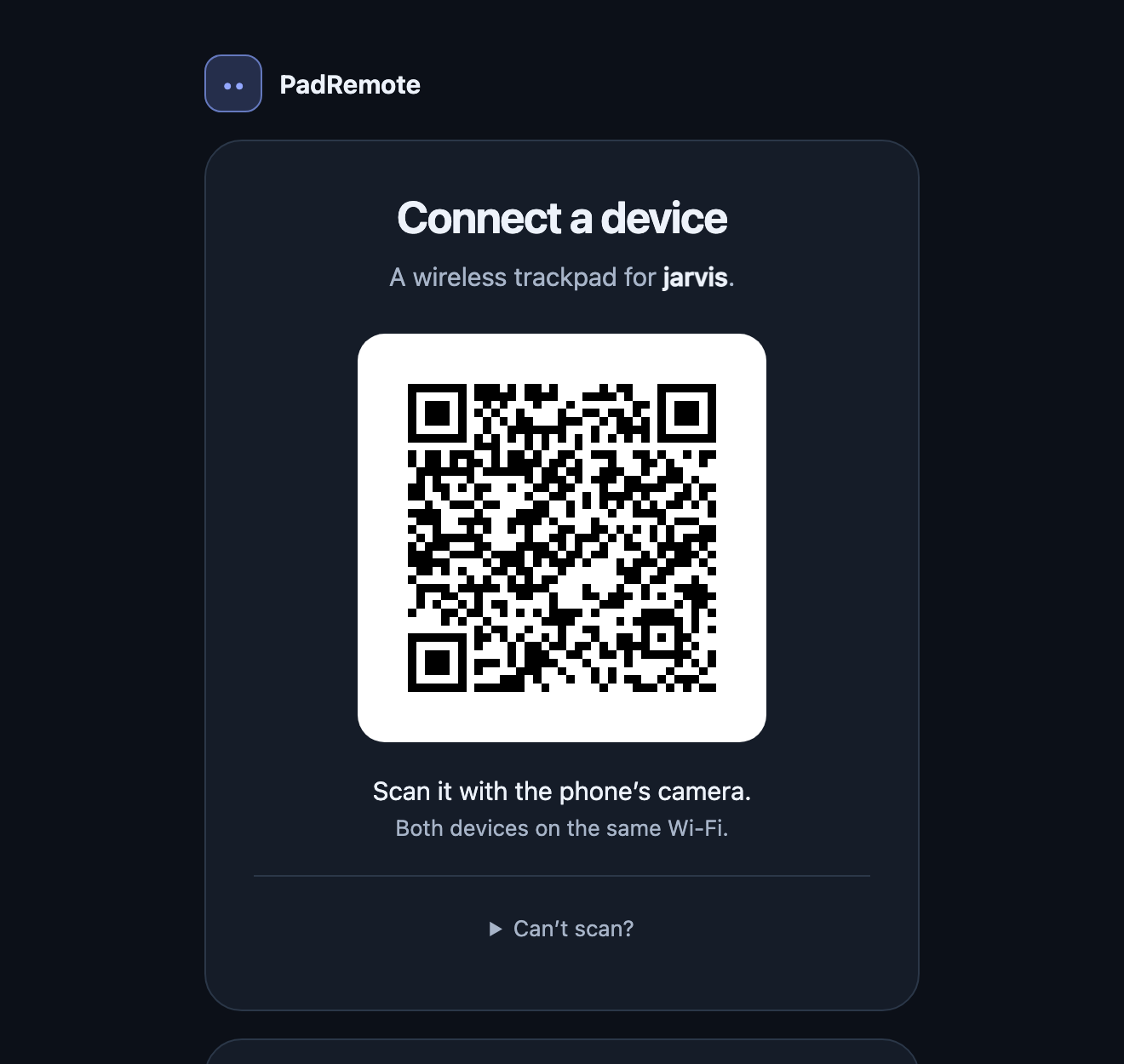
The connect page on the Mac: a QR code under the heading 'Connect a device'.
A placeholder code — a real one is a key to that computer.

Pairing

The QR is a key

It carries a 128-bit secret, and every connection answers an HMAC-SHA256 challenge before a single touch is read — a web page in another tab included.

Each phone then swaps the code for a key of its own, so one device can be revoked without disturbing the others.

More than one device

A phone and a tablet, taking turns

Both stay connected and share the one cursor: it goes to whoever touches next, as soon as the other stops. Nothing to press, nothing to close.

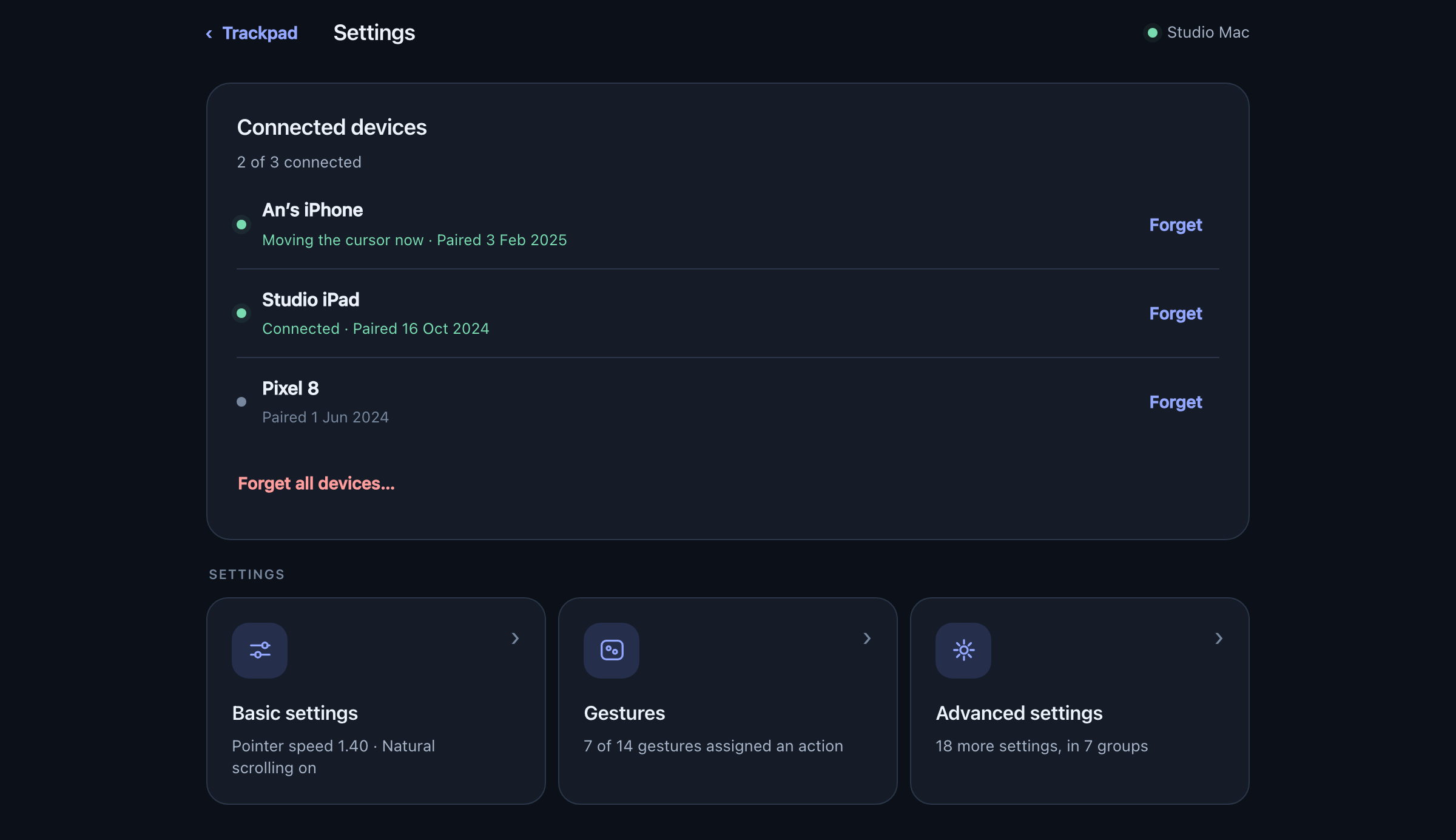
Three paired devices listed — one moving the cursor now, one connected, one offline — each with a Forget button.

One process, one port

The phone's page is compiled into the app and served on the port it connects to.

Fails safe

Reconnects on its own, and losing the link always releases a held button.

Nothing phones home

No account, no telemetry. Your phone talks to your computer, and that is all.